GNOME 51 vs KDE Plasma 6.8: 9 Key Differences
The Linux desktop is heading into another major release cycle, with GNOME 51 scheduled for September 16 and KDE Plasma 6.8 Beta arriving on September 10. Although Plasma 6.8 is still a beta while GNOME 51 is approaching its final release, the two updates are close enough in timing to invite a direct comparison.
More importantly, both projects are moving toward the same underlying future: a Wayland-first desktop stack with better graphics performance, stronger hardware support, and more polished user experiences.
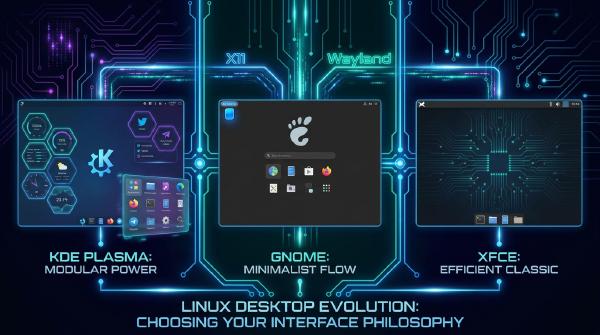
Their approaches remain fundamentally different. GNOME continues to prioritize a streamlined, opinionated, experience-first workflow, while KDE Plasma emphasizes functionality, flexibility, and user control.
This comparison breaks down the two releases across nine dimensions, from compositors and visual effects to file managers, Wayland maturity, customization, and smaller but noteworthy features.
📅 01. Release Status and Schedule #
Before comparing features, it is important to establish where each project stands in its release cycle.
KDE Plasma 6.8 #
- Current status: Beta 1
- Version: 6.7.90
- Beta 1: September 10, 2026
- Beta 2: September 24, 2026
- Final release: October 14, 2026
- Milestone: KDE’s 30th anniversary
KDE uses version numbers such as 6.7.90 for the first beta leading into Plasma 6.8. The second beta is scheduled for September 24, followed by the final release on October 14.
The final date is particularly significant because it coincides with the 30th anniversary of the KDE project.
GNOME 51 #
- Codename: A Coruña
- Alpha: June 27, 2026
- Beta: August 1, 2026
- Release Candidate: August 29, 2026
- Final release: September 16, 2026
GNOME 51 has already reached the release-candidate stage. Its codename follows GNOME’s tradition of naming releases after the city hosting GUADEC.
The comparison is therefore technically between Plasma 6.8 Beta and GNOME 51 RC/pre-release. Their maturity levels are not identical, but the major feature sets are sufficiently established for a useful comparison.
🖥️ 02. Window Managers: KWin vs. Mutter #
The compositor and window manager sit at the center of the desktop experience. For both projects, the latest generation continues to revolve heavily around Wayland.
KDE KWin: Multi-GPU Performance Takes Center Stage #
One of Plasma 6.8’s most technically significant graphics changes is support for the linux-dmabuf v6 Wayland protocol.
This matters particularly on systems with multiple GPUs, such as laptops combining integrated and discrete graphics or systems using an eGPU.
In traditional multi-GPU paths, compositors can encounter situations where a buffer is managed by one GPU while another GPU needs to consume it. That can introduce unnecessary buffer copies, increasing memory traffic and latency.
linux-dmabuf v6 provides a mechanism for communicating buffer-GPU ownership more explicitly, helping the compositor avoid redundant transfers.
Community benchmark results cited for Plasma 6.8 show substantial improvements in some workloads:
vkcube: approximately 55 fps → 120 fps- Cyberpunk 2077 at low settings: approximately 27 fps → 50 fps
The gains are workload- and hardware-dependent rather than universal, but the results demonstrate the potential impact of eliminating unnecessary cross-GPU copies.
The optimization primarily benefits native Wayland applications. X11 applications running through XWayland continue to follow their respective compatibility paths.
Other KWin improvements include:
commit-timingprotocol: Better synchronization between clients and the compositor for frame presentation.- Server-side shadows: Adds consistent shadows and rounded corners to applications that do not provide their own.
- Dwell Clicker: Automatically activates clicks after the pointer remains over an element for a configurable period.
- Four-finger gestures: Adds a four-finger swipe for opening Overview.
GNOME Mutter: Native Blur and Cross-GPU Scan-Out #
GNOME 51’s headline compositor change is native background blur.
The functionality is implemented through the ext-background-effect-v1 Wayland protocol, allowing applications and desktop components to request standardized background effects instead of depending entirely on shell extensions.
At the release-candidate stage, GNOME’s default parameters include:
- Blur radius: 24px
- Saturation: 1.25
- Noise: 0.015
Shell implementations can adjust these values.
Mutter 51 also introduces Cross-GPU Buffer Scan-Out, addressing a problem similar to the multi-GPU buffer-copy issue targeted by KWin’s dmabuf improvements.
Other Mutter updates include:
- SVG cursors: Better scaling across high-DPI displays.
- Expanded Night Light hardware support: Adds support for hardware using CTM without
GAMMA_LUT, including Apple Silicon and selected ARM systems. - HDR improvements: Addresses desaturation of SDR content in HDR mode.
- EGLStreams removal: Drops the legacy NVIDIA EGLStreams path in favor of the modern GBM-based stack.
The Bottom Line #
KWin and Mutter are solving many of the same Wayland-era problems, but their priorities differ.
KWin’s update is particularly notable for low-level performance and compositor functionality, while Mutter’s changes concentrate on graphics capabilities such as native blur, cross-GPU scan-out, HDR behavior, and hardware compatibility.
🎨 03. Visual Design and Theming #
The most immediately visible differences between the two desktops remain their approaches to customization and visual integration.
KDE Extends the Union Theme System #
Plasma 6.8 expands KDE’s Union theme system from QtQuick applications to QtWidgets applications.
This is important because KDE’s application ecosystem still includes software built using traditional Qt Widgets alongside newer QtQuick/QML interfaces.
Previously, differences between those two UI technologies could produce inconsistencies in application styling. Extending Union to QtWidgets is intended to make the desktop and application layers feel more cohesive.
The feature remains relatively early in development, however, and KDE has acknowledged that visual issues are still being addressed.
Users testing Plasma 6.8 can access the option through:
System Settings → Colors & Themes → Application Style → Breeze (Union)
GNOME Brings Blur Into the Core Desktop #
GNOME’s major visual addition is native background blur.
For years, GNOME users commonly relied on extensions such as Blur My Shell to achieve frosted-glass effects. GNOME 51 brings similar functionality into the underlying platform through ext-background-effect-v1.
There is an interesting open-source aspect to this development: the background-effect protocol originated from KDE-related Wayland development and is now being used across desktop environments.
The two projects can therefore compete over desktop design while simultaneously contributing to shared infrastructure.
GNOME 51 also adds:
- SVG-based cursors
- A global option to reduce animations
- A redesigned fingerprint-management interface
- More polished visual behavior across high-DPI displays
The Bottom Line #
KDE’s Union work targets structural visual consistency between different application toolkits.
GNOME’s blur implementation targets native visual polish and reduces the need for third-party extensions.
One focuses on unifying the application stack; the other focuses on bringing a popular customization into the core experience.
⚡ 04. Performance and Responsiveness #
Performance is difficult to compare directly because GNOME and KDE measure improvements differently, but several concrete changes stand out.
| Improvement Area | KDE Plasma 6.8 | GNOME 51 |
|---|---|---|
| Multi-GPU graphics | vkcube 55 → 120 fps in reported testing; Cyberpunk 2077 27 → 50 fps |
Cross-GPU Buffer Scan-Out |
| Panel auto-hide | Delay reduced from 500ms to 50ms | Not highlighted |
| VRAM usage | Optimized Breeze SVG assets | Various image and shell optimizations |
| Frame scheduling | commit-timing protocol |
GTK frameclock and Mutter scheduler improvements |
| Memory usage | Discover and other memory improvements | Multiple Shell leak fixes and Glycin caching |
| Screen recording | KPipeWire quality and efficiency improvements | VA-API H.264 rate-control improvements |
| File operations | KIO 6.29 performance work | Icon and application-loading optimizations |
KDE provides more easily quantifiable figures in this release cycle.
The Plasma panel auto-hide delay, for example, drops from 500ms to 50ms, while reported multi-GPU benchmarks show potentially dramatic improvements in specific workloads.
KIO 6.29 also includes hundreds of performance-related changes, with 294 commits cited as performance-focused work.
GNOME’s approach is less benchmark-oriented in its release messaging. Its improvements emphasize frame scheduling, memory behavior, image loading, and reduced unnecessary buffer transfers.
The practical result will depend heavily on hardware, drivers, workloads, and whether applications are running natively under Wayland or through XWayland.
📁 05. File Managers: Dolphin vs. Nautilus #
File managers reveal another major philosophical difference between the projects.
Dolphin: More Features, More Control #
KDE’s Dolphin continues to expand its feature set while benefiting from improvements in the underlying KIO framework.
Notable changes include:
- Independent grouping and sorting: Users can group files by one attribute while sorting them by another.
- Improved tab management: Context menus now include options such as closing tabs to the left or right.
- Regex and glob filtering:
Ctrl+Iprovides more advanced filtering capabilities. - KIO performance improvements: KIO 6.29 includes extensive performance work.
- Improved KDE Connect integration: File transfers between computers and mobile devices receive additional refinement.
The direction is clear: Dolphin is becoming an increasingly powerful file-management environment rather than simply a graphical file browser.
Nautilus: Simpler Interaction, More Polished Details #
GNOME’s Nautilus follows a different path.
GNOME 51 focuses on refining existing workflows rather than adding a large number of advanced controls.
Key changes include:
- Narrow-window tab overview: Uses a more compact
libadwaitainterface when space is limited. - Enhanced previews: Users can rename files, move them to the trash, and open parent directories from the preview interface.
- Improved tab behavior: Paths opened externally can be placed into a new tab without replacing the current view.
- Search refinements: Search results are presented with greater focus on relevant content.
Dolphin prioritizes capability. Nautilus prioritizes consistency and simplicity.
🌐 06. Wayland Maturity #
Wayland is arguably the most important architectural theme shared by both releases.
GNOME began moving aggressively toward Wayland earlier in its development cycle. Wayland became the default session in GNOME 40, and subsequent releases increasingly shifted development attention away from X11.
GNOME 51 continues that trajectory through changes such as:
- Native background effects under Wayland
- Cross-GPU scan-out
- Removal of NVIDIA EGLStreams
- Continued compositor and frame-scheduling work
KDE has accelerated its Wayland transition considerably with the Plasma 6 generation and the move to Qt 6.
Plasma 6.8 continues that work through:
linux-dmabuf v6commit-timing- Improved compositor behavior
- Multi-GPU optimization
- Wayland-native gesture improvements
- Additional accessibility functionality
There have also been community reports suggesting that Plasma 6.8 may remove the traditional X11 session entirely while retaining XWayland for legacy applications.
If that transition is confirmed in the final release, it would represent a major milestone for KDE’s Wayland strategy.
However, feature parity should not be confused with identical maturity. GNOME’s Wayland stack has benefited from years of focused development, while KDE continues to address additional edge cases as Plasma’s Wayland implementation expands.
For users with unusual hardware, specialized workflows, or older applications, compatibility remains an important consideration.
🛠️ 07. Customization vs. Design Philosophy #
The deepest difference between KDE and GNOME is not a specific feature. It is how each project defines a good desktop.
KDE: Expose the Controls #
Plasma continues to provide users with an enormous number of configuration options.
Examples in 6.8 include:
- Faster panel auto-hide behavior
- Custom display timings and modelines through
kscreenctl - Middle-click scrolling options
- Adjustable virtual screen resolutions for recording workflows
- A resizable emoji picker
The philosophy is straightforward: if a user has a specific workflow, Plasma should ideally provide a setting or mechanism to support it.
GNOME: Optimize the Defaults #
GNOME instead emphasizes a smaller number of carefully selected controls and stronger default behavior.
GNOME 51 illustrates this approach through:
- Native blur without requiring extensions
- SVG cursors that automatically scale cleanly
- A global animation-reduction option
- A redesigned fingerprint interface
- Expanded web-login infrastructure for authentication workflows
Neither model is inherently better.
KDE is better suited to users who want to configure their environment extensively. GNOME is aimed more at users who prefer a cohesive workflow without spending significant time tuning individual desktop behaviors.
🔍 08. Smaller Features Worth Watching #
Not every useful change appears in the headline release notes.
KDE Plasma 6.8 #
Kup Backup Integration
KDE’s Kup backup utility is being integrated more closely into the Plasma desktop, bringing backup functionality further into the core environment.
Bidirectional RDP Clipboard
Remote desktop clipboard support now works in both directions, including bandwidth-aware image-quality handling.
Multilingual Settings Search
Users running localized desktops can search system settings using English keywords, improving discoverability across language configurations.
Spectacle QR Detection
Spectacle can detect QR codes in screenshots and expose the decoded content through notifications.
GNOME 51 #
Glycin-Based Image Loading
GNOME Shell is expanding its use of the Rust-based Glycin image-loading infrastructure, replacing older C-based image-loading paths in relevant areas.
The move reflects the broader trend toward introducing Rust into security-sensitive and infrastructure-level components of the Linux desktop stack.
Exact Rational Arithmetic
GNOME Calculator gains more precise mathematical operations through GMP-backed rational arithmetic, allowing calculations to preserve exact values instead of unnecessarily converting them to approximations.
GVDB Safe Writer
Safe-write behavior is enabled by default to reduce the risk of data corruption when working with GVDB data on network filesystems such as NFS.
Apple Silicon Night Light
Expanded Night Light support is particularly relevant to Linux users running on Apple Silicon hardware.
These features may not change the desktop’s headline appearance, but they illustrate the amount of engineering happening below the surface.
📊 09. Which Desktop Fits Which User? #
Rather than declaring a winner, the more useful question is which design philosophy matches a particular workflow.
| User Priority | KDE Plasma 6.8 | GNOME 51 |
|---|---|---|
| Extensive desktop customization | ✓ | — |
| Minimal configuration after installation | — | ✓ |
| Multi-GPU or eGPU gaming | ✓ | ○ |
| Native desktop blur | ✓ | ✓ |
| Feature-rich file management | ✓ | — |
| Mature Wayland workflow | ○ | ✓ |
| Older NVIDIA hardware/workflows | ○ | — |
| Highly consistent design language | ○ | ✓ |
| Built-in desktop backup integration | ✓ | — |
| Advanced display configuration | ✓ | ○ |
| Minimalist desktop workflow | — | ✓ |
The table should not be interpreted as a strict technical ranking. Hardware, applications, distribution packaging, extensions, drivers, and personal workflow can all change the practical experience.
🚀 The Bigger Picture: Two Paths Toward the Same Linux Desktop Future #
The most interesting aspect of GNOME 51 and KDE Plasma 6.8 is not which project has more features.
It is how closely their underlying priorities are converging despite their very different user interfaces.
Both projects are investing heavily in Wayland. Both are improving multi-GPU graphics paths. Both are refining frame scheduling and compositor behavior. Both are incorporating Rust into important components. Both are improving accessibility, hardware compatibility, and visual consistency.
At the desktop level, KDE and GNOME still represent almost opposite philosophies.
KDE Plasma: give users more controls, more features, and more ways to configure the environment.
GNOME: provide stronger defaults, fewer decisions, and a more tightly controlled experience.
That distinction remains as relevant as ever.
For users who enjoy tailoring every aspect of their Linux environment, Plasma 6.8 continues to offer enormous flexibility. For users who want a cohesive desktop that requires less configuration, GNOME 51 remains focused on reducing complexity.
But underneath those differences, both projects are moving toward the same destination: a faster, more capable, increasingly Wayland-native Linux desktop.
The real winner is therefore not one desktop environment over the other. It is the Linux desktop ecosystem itself, where competition between different design philosophies continues to push both projects forward.